Tag: shape
-
Semester Project
I am currently working on my semester project, therefore I have been a bit quite on the blog front. So far I have delivered a product description about my client, logo design, which products I am going to design, justification and challenges with the design. I have also delivered a work schedule for my semester…
-
1.1 part 2 InDesign Essential Training

I have been working on this massive and comprehensive course in LinkedIn about InDesign and finally I got my certificate. I have learned a lot during this week, and I can’t wait to use all the new knowledge I now have with InDesign. Especially when it comes to designing and writing the booklet. – CDH
-
Activity – Ideation Practise

As just practise, I did a activity where you first draw scribbled shapes, random ones. Shapes that doesn’t make any sense. Then I tried to draw something familiar or some kind of drawing out of the random shapes. I then wanted to fill out everything so i added three more random shapes to work with:…
-
2.4 (2) Celtic Cross

To learn more about shape builder tool and pathfinder tool I watched a lecture video and learned about the difference. Shape builder tool is the most effective tool in most cases, but pathfinder tool has it’s strengts in some areas where the shape builder tool is weaker. For this assignment I made a Celtic cross…
-
2.3 Idea Generation

This week I learned a lot about idea generation and different ideation techniques. Some of the ideation techniques I learned about: All of these methods are a big help in the process of designing. The first steps before making anything is always research and analysis, part of that is also the time you use to…
-
2.2 (1 & 2) Basic Shapes

It’s useful to understand how to create different shapes in Adobe Illustrator as a graphic designer, since they are the building blocks in all design. I first learned how to make different shapes from just a square, with direct selection tool and curve settings. I found it easy and fun to manipulate, creating various shapes…
-
MA01 – Visual Interpretation

For this project my brief was to create a visual interpretation of the number 7 using Gestalt principles. The creations are made by hand, with paper, pencil, scissors and markers. I also used the nature as a background. I have shared the work on forum and asked for feedback from teachers and other students. I…
-
1.3(1) Fundamentals Of Graphic Design
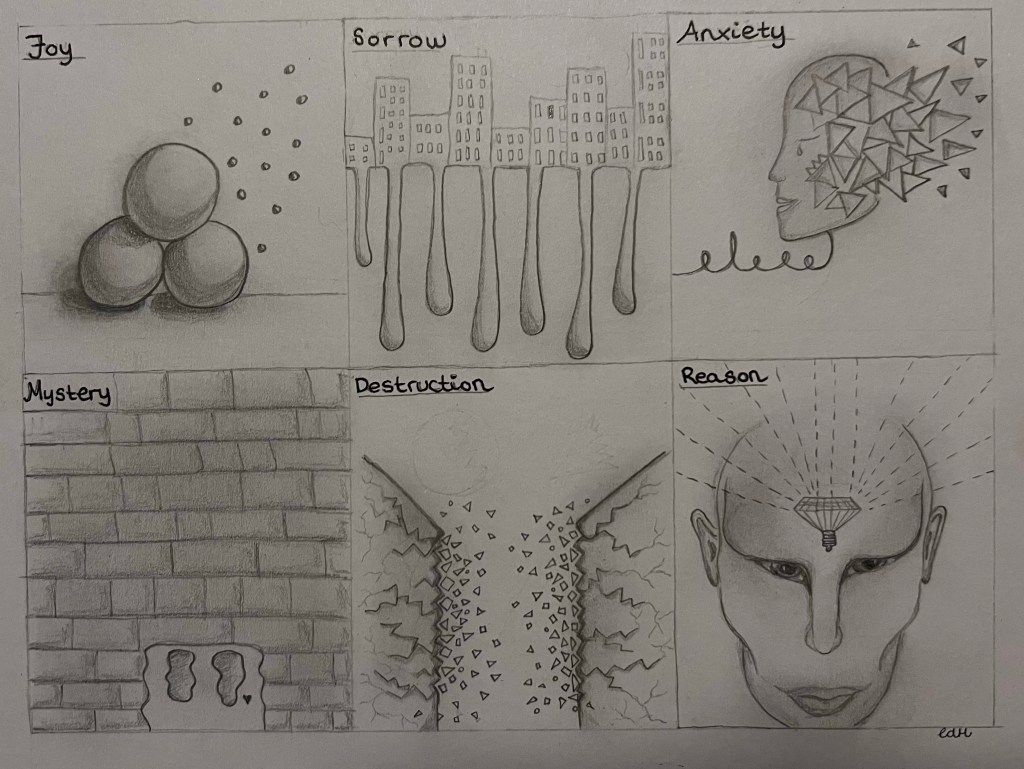
The main elements of art and design is line, shape, form, texture, balance and the rule of thirds. These elements are important to learn and master as a Graphic Designer. I made abstract depictions of the following terms: By only using elements of line, shape, form, texture and balance. It’s a rough sketching, only pencil…
-
1.2.(2) Neon Light Effect
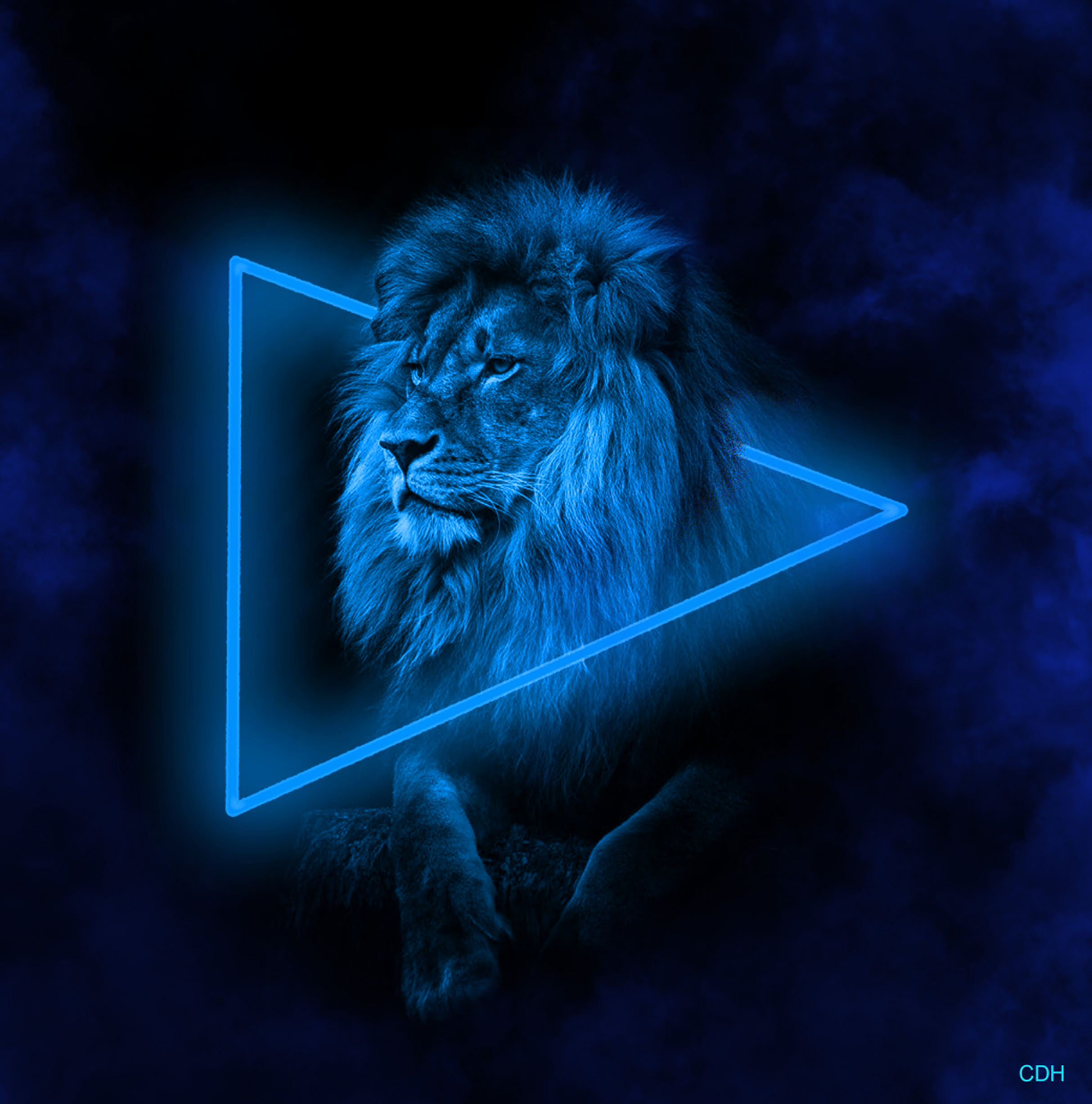
For this project I worked in Photoshop, using a black and white picture of a mighty lion. Aventually creating a neon light effect and smoke around the lion. I startet out with this picture: In the beginning I started with making the black background bigger. In order to have more workspace for the shape, neon…
 CDHGraphicDesign