For this project I followed a tutorial on how to make an animal human portrait in Photoshop. I didn’t want to use the same pictures and textures as the man in the video, so I found something different.
I might have given my self an extra challenge when I chose this fluffy dog:
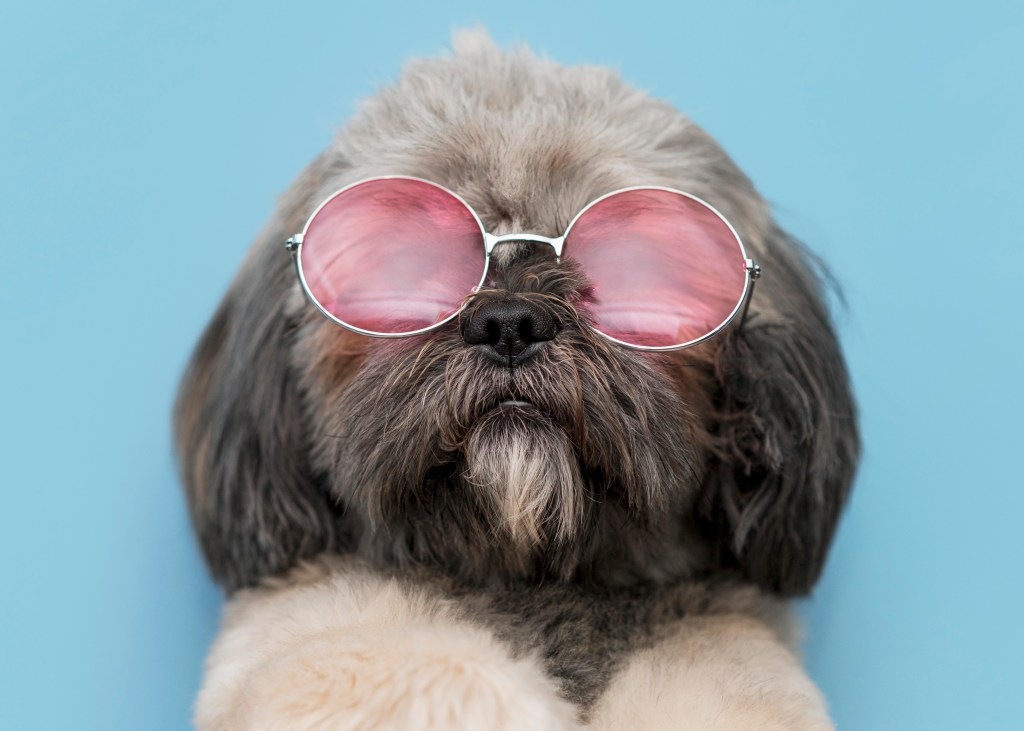
And this beautiful woman:
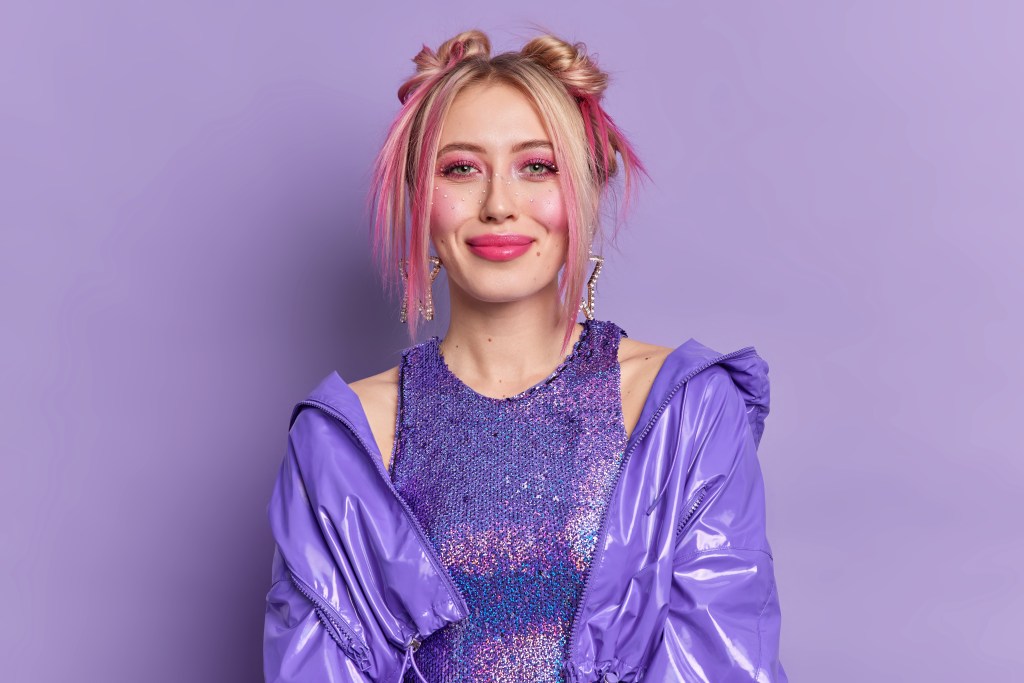
The point of this project is to mix these two together, harmonically and also add a lot of layers with glow, colours, texture and background effects.
The first ting, and probably the hardest part was to work with the pen tool and cut out the parts I needed in a good way.
Didn’t want to lose elements I needed, and also did not want to bring with me any of the background from original picture. That is a job for a perfectionist.
I saw some flaws after a while, even though I was really careful. I tried to fix them, but it is all part of the learning process.
I’m not going to explain in details all the work done to this image this time, it would be a long post – and I have it in my notebook if I need it later.
I learned a lot about more of the tools in Photoshop, curves, gradient colouring, ellipse sircle tool, texture blending and pen tool work.
For each Photoshop project I feel more comfortable and more effective with my work. Every time I learn something new, so the end results reflects on that. But if I went back to my first project now I think I would apply my new knowledge and make it even better. Learning by doing.
I also see that if I experiment with other pictures than in the lecture video I come across some obstacles I need to solve without any explanation, and I think that gives me extra knowledge along the way. How to figure things out on your own is important too.
I wish I chose an animal with antlers for this one though because it would have been so nice with them glowing. However, I needed to do something weird and Camilla like. I like going my own ways.
The head of the dog didn’t exactly fit good with the woman body, it took me a long time to accept that this is how good as it gets! I tried my best – promise!
The End Result – Animal Human Portrait
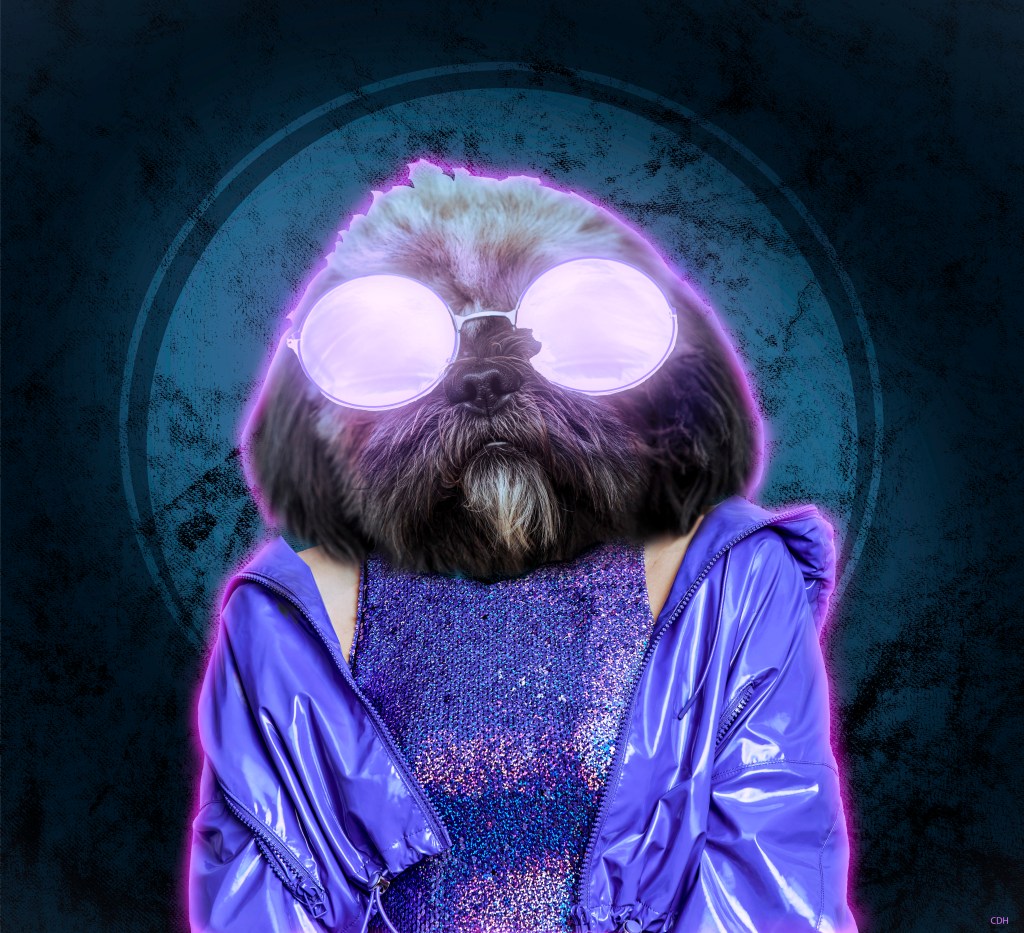
When I first tried to upload the composite that I made, it didn’t want to upload to the blog. I thought it was because of the size of the file and adjusted the quality a bit down to get it smaller. I hope that didn’t ruin the quality too much. It seems good enough.
I have two big projects left before deadline and I have already started with them both by brainstorming, doing research and analysis. Specially around Gestalt principles, number seven and book covers. This is so fun and I love the path I have chosen with graphic design.
Credits for the raw material used in this composite:
Photo #1 (Dog): https://tinyurl.com/3ukenv95
Photo #2 (Woman): https://tinyurl.com/eukru7rs
Best regards, CDH
 CDHGraphicDesign
Leave a comment